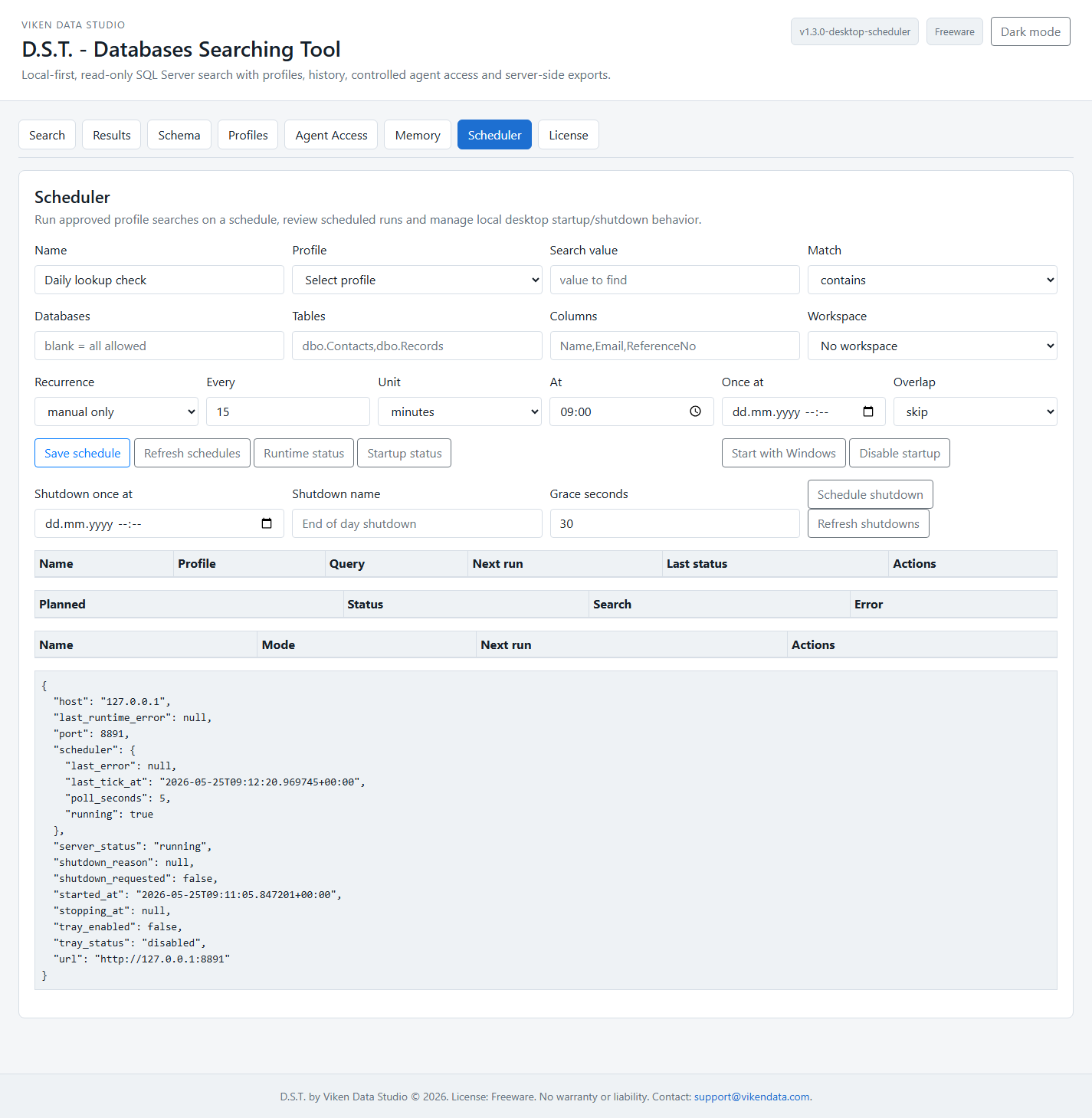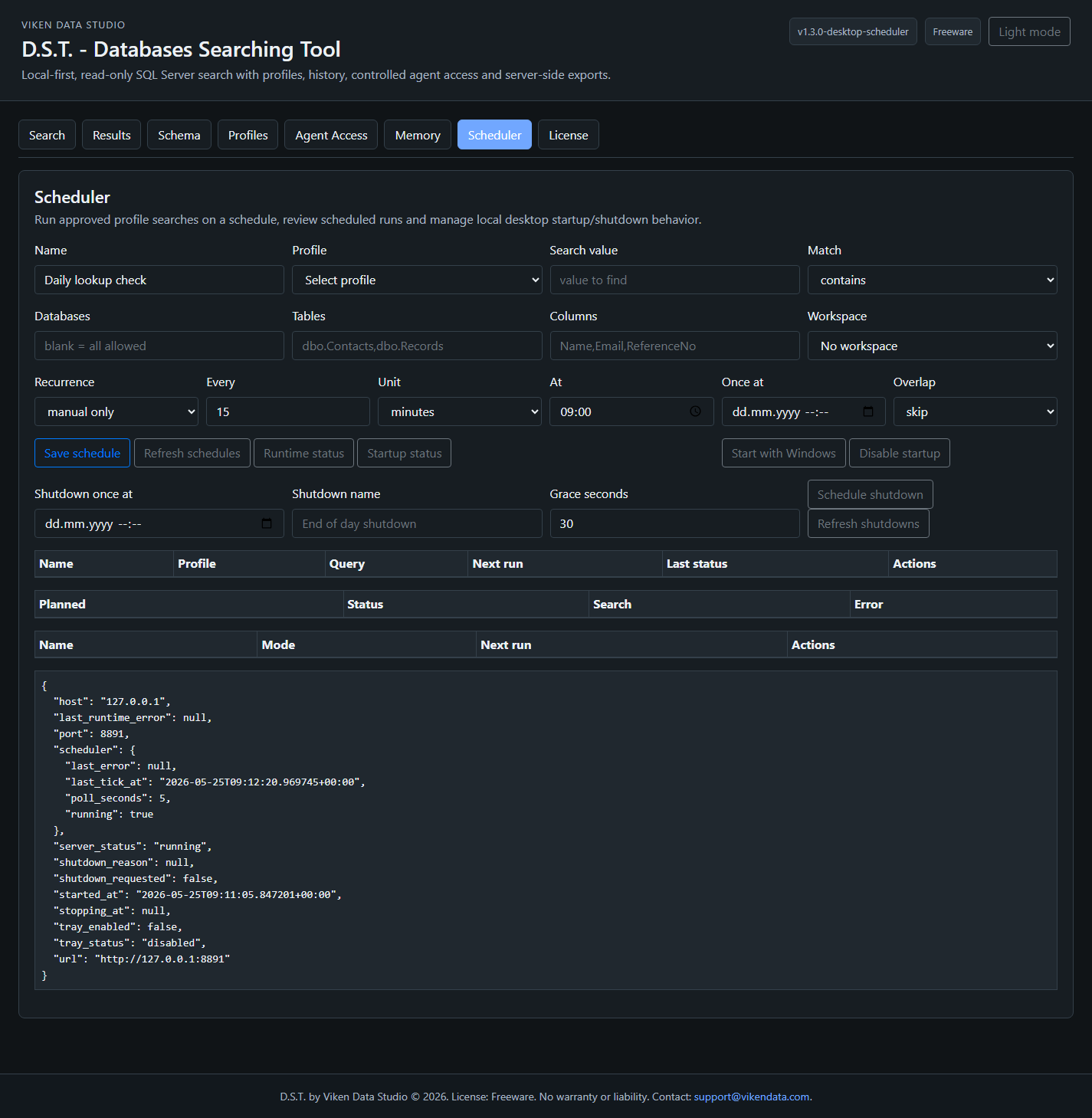
Databases Searching Tool

This page documents the current D.S.T. build from the project repository, not only the marketing summary. It covers startup behavior, local runtime model, SQL Server search flow, Search Profiles, credential storage, exports, schema browsing, agent-safe APIs, search memory, diagnostics, remote access, and the current verification status.

D.S.T. 1.2.2-templates

This documentation reflects the current repository status verified on 21 May 2026. The build includes tabbed UI, light/dark theme switch, generic templates, Search Profiles, server-side search jobs, profile-backed exports, token manager, audit log, encrypted local vault, SQLite search memory, workspaces, saved searches, agent search planning, diagnostics, and freeware license messaging.

Tabbed local workspace for search, results, schema, profiles, agent access, memory, and license information.

Public screenshots use generic values. No real hostnames, login secrets, private tokens, company database names, or live result data are shown.

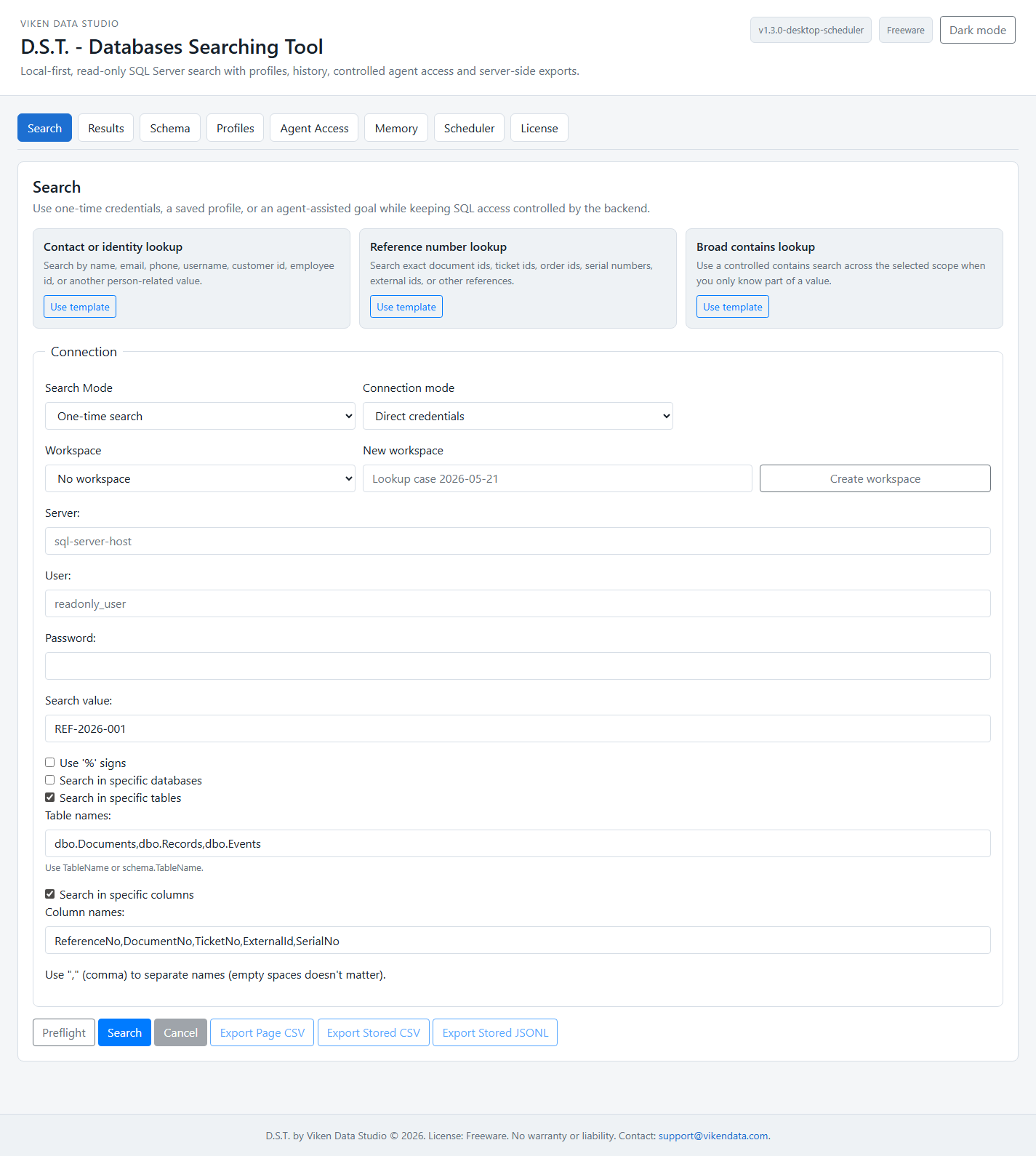
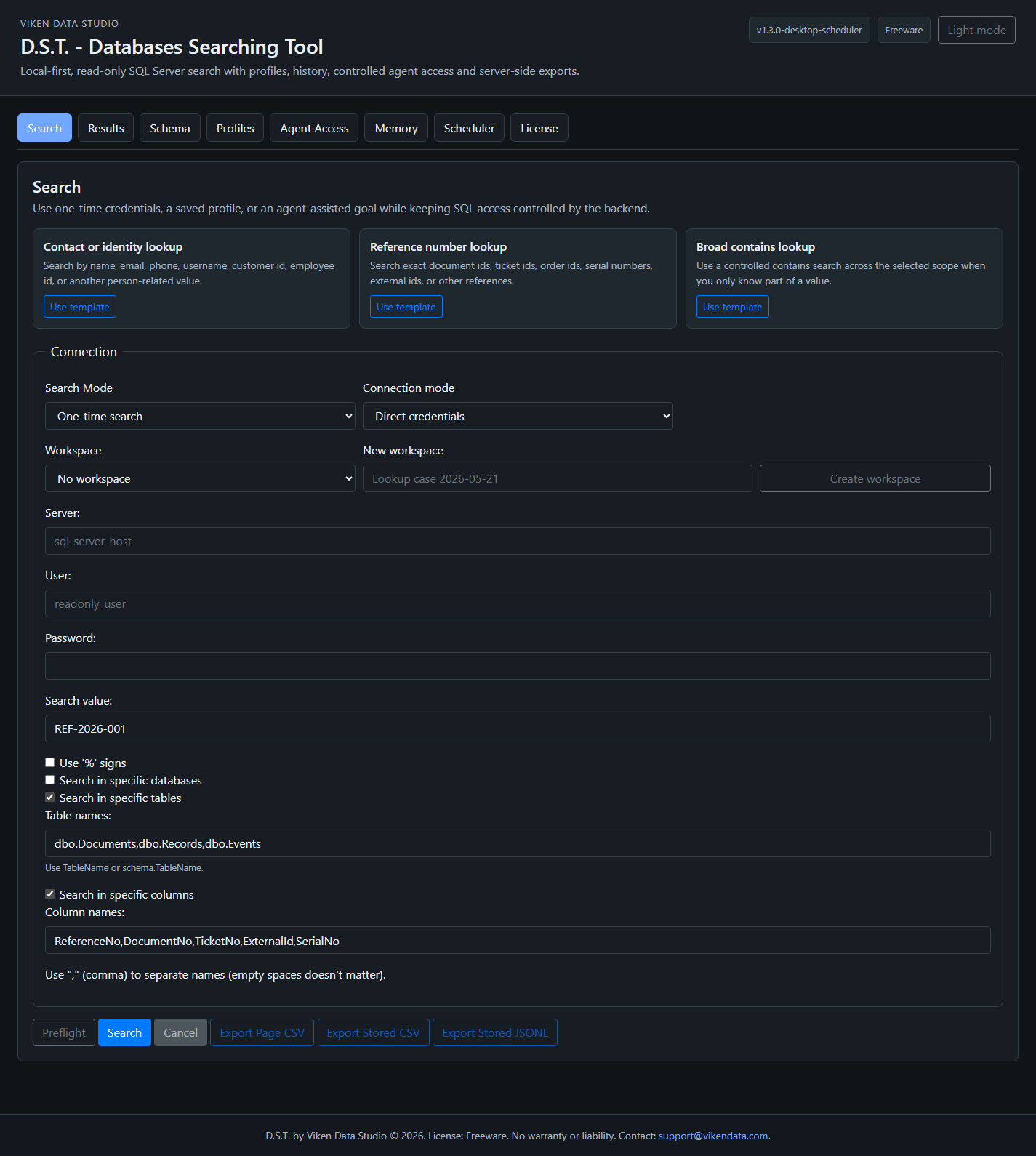
D.S.T. main search interface showing generic search templates, search mode, connection mode, workspace selector, scope filters, and export buttons D.S.T. main search interface in dark-mode presentation showing generic search templates, search mode, connection mode, workspace selector, scope filters, and export buttons
The main workspace separates Search, Results, Schema, Profiles, Agent Access, Memory, and License views. Generic templates support contact lookup, reference-number lookup, broad contains search, profile creation, agent token setup, and workspace naming.

The long-form screenshot also switches with the selected site theme.

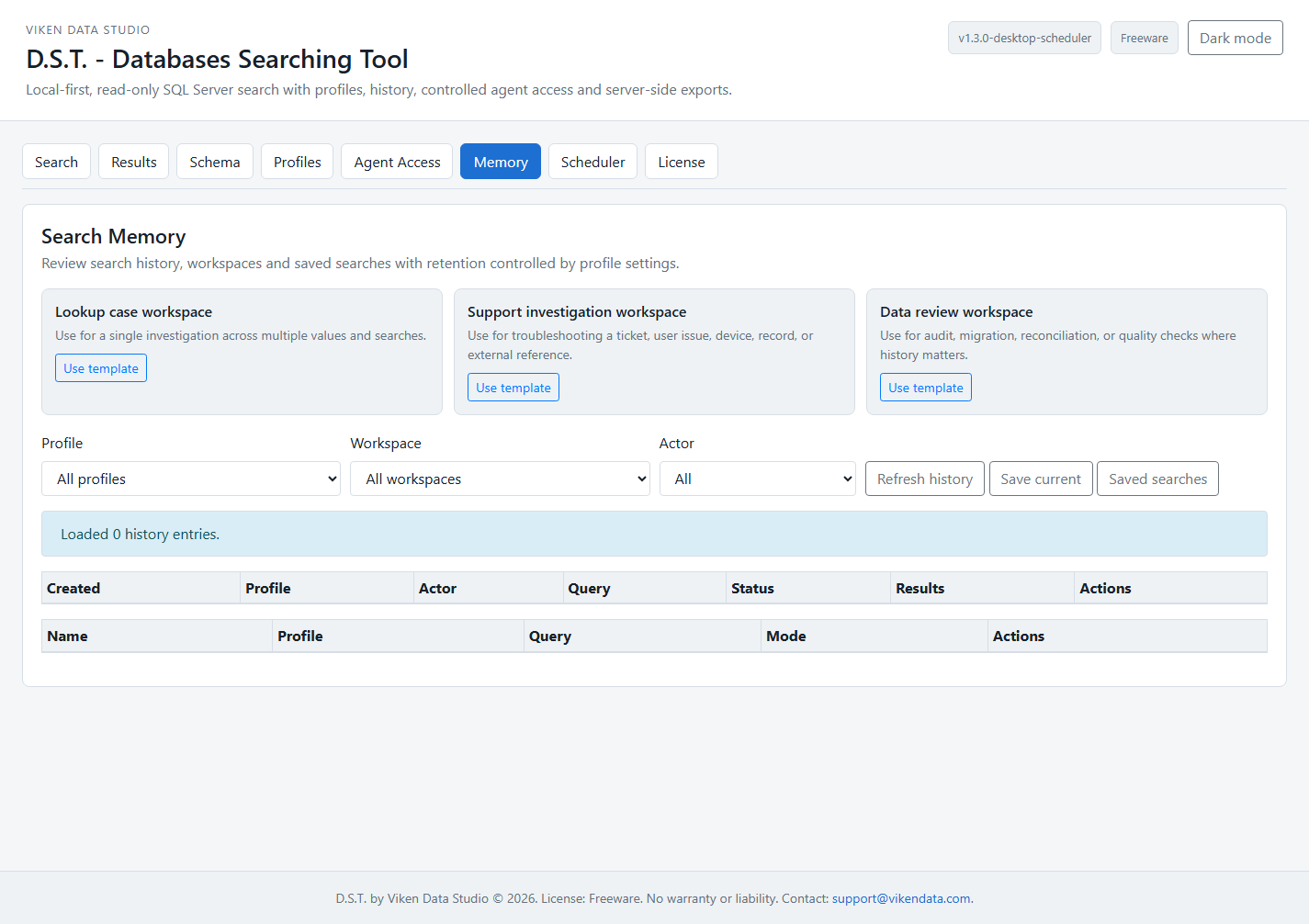
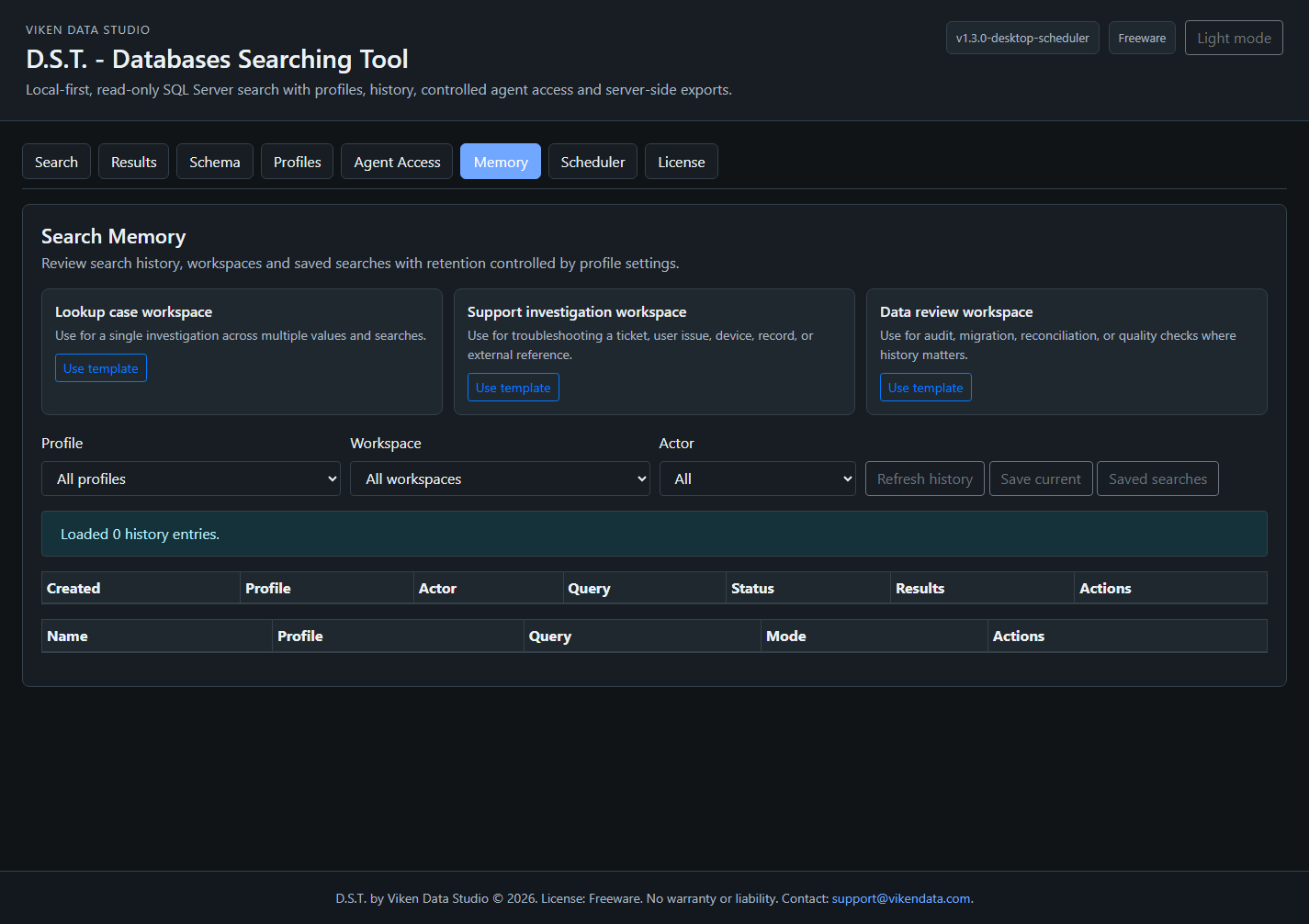
This full workspace capture is included as a paired light and dark screenshot so the documentation does not mix themes while the visitor switches between modes.

Full D.S.T. workspace in light mode showing the stacked local interface sections and tabbed search workflow Full D.S.T. workspace in dark mode showing the stacked local interface sections and tabbed search workflow
Full workspace overview. The page uses a real light-mode asset in light theme and a real dark-mode asset in dark theme, instead of showing one static screenshot in both themes.

D.S.T. is a local Flask service, not a hosted database portal.

The application starts a local web service, opens a browser UI, and performs controlled SQL Server searches through pyodbc. The browser renders pages of results; the backend owns search jobs, pagination, cancellation, exports, schema metadata, credentials, audit, and memory.

Browser UI
  -> POST /search/start with Search Profile or one-shot SQL credentials
Flask backend
  -> validates query, scope, CSRF, limits and credential source
  -> runs async SQL Server scan through pyodbc
  -> stores server-side job in runtime/search_jobs/
Browser UI
  -> polls /search/page/<search_id>
  -> renders only the current page
  -> requests cancel/export/schema/history actions as needed

Source layout

DSTool.py contains the Flask service and startup flow. templates/index.html contains the local browser UI. DSTool.spec packages the executable through PyInstaller.

Runtime folders

config/ stores profiles, token metadata and vault files. runtime/search_jobs/, runtime/exports/, runtime/audit/, and runtime/memory/ store temporary jobs, exports, audit events, and SQLite memory.

Default limits

The documented defaults include 500 preview rows, 50 UI page rows, 100 agent page rows, 500 agent max page size, 50000 export rows, 60 second query timeout, and two concurrent searches per profile.

Safe local defaults are used when the user presses Enter.

The EXE and source startup flow are designed for local-first use. Agent API is disabled by default, and binding to every network interface requires a deliberate choice.

EXE startup

& ".\dist\Databases Searching Tool\Databases Searching Tool.exe"

The prompt asks for host, port, browser opening, and Agent API status. Pressing Enter chooses 127.0.0.1, port 8765, open browser yes, Agent API disabled.

CLI options

dst.exe --default
dst.exe --host 127.0.0.1 --port 8765 --open-browser
dst.exe --config .\dst.config.json
dst.exe --enable-agent-api
dst.exe --disable-agent-api
dst.exe --version
dst.exe --help

Source startup

python .\DSTool.py
python .\DSTool.py --default

Runtime requirements from source include Flask, pyodbc, Microsoft ODBC Driver 17 for SQL Server, and network access from the D.S.T. host to the target SQL Server.

Three working modes keep temporary use, saved configuration, and agent-assisted work separate.

One-shot user search

The user enters server, SQL user, login secret, search value, match mode, and optional scope for a single run. The login secret is used for that request and is not saved as a profile or returned to the browser.

Saved profile search

The user chooses a Search Profile. The browser sends search_profile_id; the backend resolves the credential source, applies allowlists, starts the search job, and stores no connection identity or login secret in the job request.

Agent-assisted search

A user or agent works inside a workspace with an approved profile. The agent can plan, rerun, refine, and inspect allowed history, but still cannot submit raw SQL or override connection parameters.

D.S.T. schema explorer, search profile editor, profile limits, agent visibility, audit query mode, history detail, and credential actions D.S.T. schema explorer and search profile editor in dark-mode presentation, including profile limits, agent visibility, audit query mode, history detail, and credential actions
Schema and profile controls. Profile readiness checks verify local configuration, allowlists, limits, and credential availability without returning secrets. Profile connection tests execute only a controlled SELECT 1.

Profiles are the boundary; vault references are the bridge to credentials.

A Search Profile stores reusable search policy: allowed databases, tables, columns, searchable types, match mode, limits, timeout, agent access, export rules, audit query mode, history detail, and retention. It does not store a raw SQL login secret.

{
  "profile_id": "main_lookup_readonly",
  "name": "Main Data Lookup - Read Only",
  "server": "sql-host",
  "auth_mode": "local_vault",
  "user": "readonly_user",
  "credential_ref": "vault://dst/main_lookup_readonly/credential",
  "allowed_databases": ["PrimaryDB"],
  "allowed_tables": ["dbo.Contacts", "dbo.Records", "dbo.Documents"],
  "allowed_columns": ["Name", "Email", "Phone", "ReferenceNo", "ExternalId"],
  "max_preview_rows": 500,
  "max_export_rows": 50000,
  "allow_agent_export": false,
  "masking_mode": "preview",
  "timeout_seconds": 60,
  "read_only": true
}

Credential sources

D.S.T. supports environment-backed credentials, windows_credential, and local_vault. Windows Credential Manager support requires pywin32. The local vault stores encrypted payload in config/dst.vault.json and key material in config/dst.vault.key.

Rejected profile fields

The profile manager rejects direct login-secret fields, connection_string, and sql. Status, test, audit, diagnostics, and agent responses do not reveal secrets or credential references.

Profile tests

GET /settings/profiles/<profile_id>/status checks local readiness without SQL access. POST /settings/profiles/<profile_id>/test resolves the secret server-side and runs only SELECT 1.

Large searches are handled as jobs, not as a full JSON dump into the browser.

This is the core safety and usability change. The browser no longer owns the whole result set. The backend validates, scans, stores, pages, exports, and cancels.

Preflight

POST /search/preflight performs metadata-only checks and reports databases, tables, columns, timeout, display limit, and export limit before a broad scan starts.

Async start

POST /search/start creates a running job. The UI polls GET /search/page/<search_id> until completed, failed, or cancelled.

Cancellation

POST /search/<search_id>/cancel marks the job as cancelled and asks the active pyodbc cursor to cancel when the driver supports it.

Validation

Blank wildcard searches are blocked. Invalid identifiers and scope outside profile allowlists are rejected. Database, schema, table, and column names are quoted by backend helpers.

Result shape

Result rows include database, schema/table, column, value preview or value, match type, SQL type, and occurrence count. Returned pages are bounded by job/profile limits.

Job cleanup

Search jobs and export files have TTL cleanup on startup and during runtime. Default search job and export TTL is 24 hours.

CSV and JSONL are generated server-side, with explicit scope and limits.

The browser never builds huge CSV files in JavaScript. Export metadata records whether the export is complete, truncated, stored-only, page-only, or streamed through a profile-backed re-query.

Formats

CSV is intended for user spreadsheet workflows. JSONL is preferred for agent processing and streaming-friendly review.

Scopes

full_results, stored_results, and page are explicit. Direct one-shot jobs cannot silently re-query truncated searches because the backend does not keep the login secret.

Streaming full export

Profile-backed user and agent full exports can stream SQL rows directly to runtime/exports/ through the approved Search Profile up to max_export_rows.

Storage guard

export_storage_limit_bytes defaults to 536870912 bytes. If the export directory is full, new exports return export_storage_limit_exceeded.

CSV protection

CSV export guards against formula injection by prefixing values that spreadsheet tools could interpret as formulas.

Audit

User and agent exports are audited. Export files expire and require the matching UI or agent authorization path.

Listing schema is separate from searching data.

D.S.T. does not use blank percent searches to discover databases, tables, and columns. Schema Explorer is a separate feature with short-lived metadata cache and profile-aware allowlists.

User endpoints

GET /schema, POST /schema/databases, POST /schema/tables, and POST /schema/columns support local schema review. Legacy mode uses POST so credentials do not go into query strings.

Profile mode

When a Search Profile is selected, Schema Explorer can return profile allowlists without connecting to SQL, and it still avoids returning credentials.

Agent schema

GET /api/v1/agent/schema-summary?profile_id=... returns only the schema allowed by the token and profile.

Agents get a search tool, not a database login.

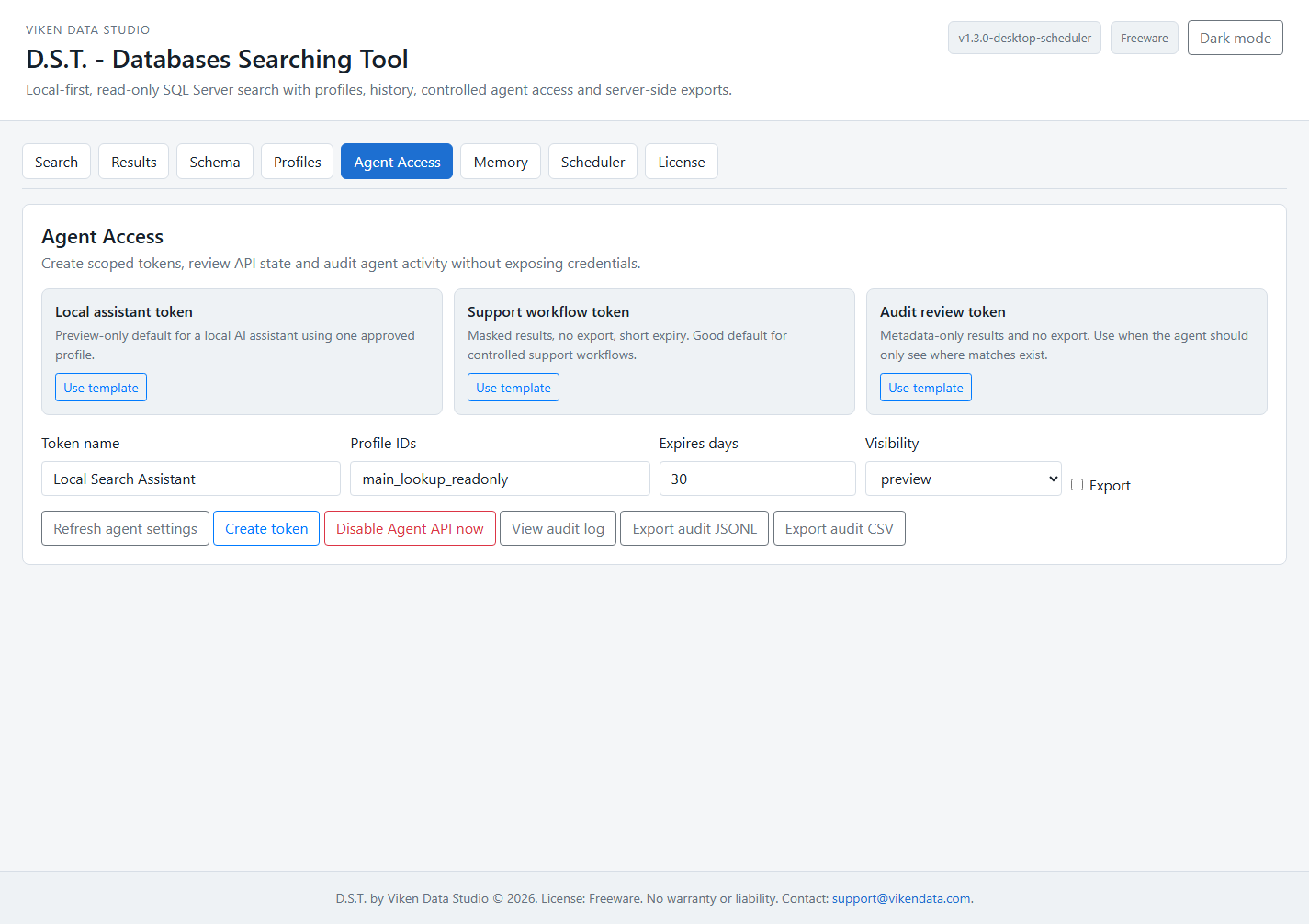
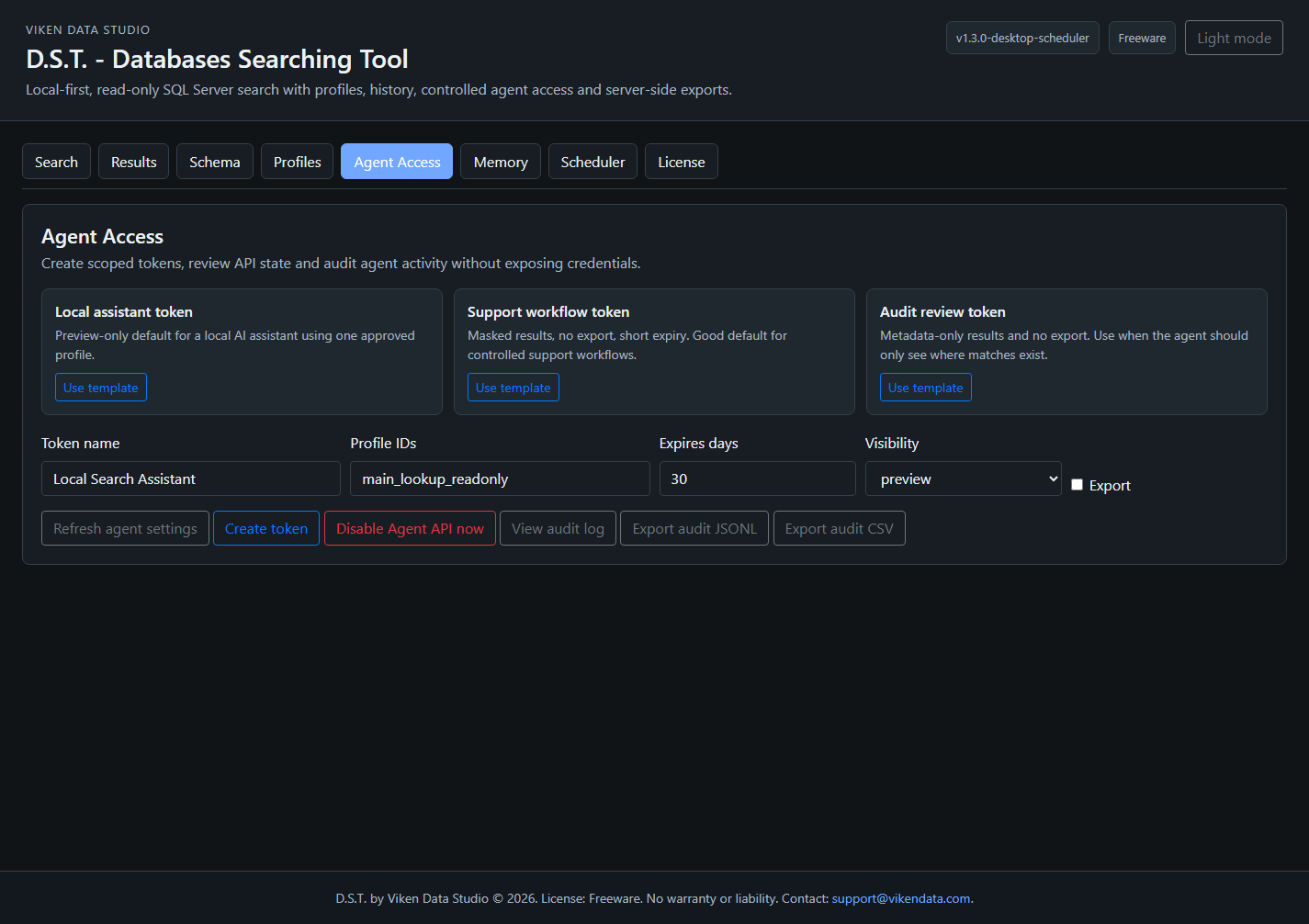
The Agent API is disabled by default. When enabled, it requires bearer tokens, profile access, visibility limits, and structured search requests. It does not use browser cookie sessions.

D.S.T. agent access panel, token creation controls, audit export actions, search memory filters, saved searches table, and results table headers D.S.T. agent access and search memory controls in dark-mode presentation, including token creation controls, audit export actions, search memory filters, saved searches table, and results table headers
Agent Access and Search Memory controls. Tokens are created by a user, shown once, stored hashed, and restricted by profile, expiry, export permission, history permission, saved-search permission, and visibility mode.

Core endpoints

GET /api/v1/agent/capabilities, GET /api/v1/agent/profiles, POST /api/v1/agent/search, GET /api/v1/agent/search/<search_id>/page, and agent export/schema endpoints form the controlled search gateway.

Memory endpoints

Agent history, workspace history, rerun/refine, saved-search execution, search-plan creation, and search-plan execution are available only when token and profile permissions allow them.

Forbidden fields

Agent requests are recursively rejected if they contain direct connection fields, login-secret fields, connection_string, or sql.

Visibility modes

full_value, preview, masked, and metadata_only control how much result data an agent can see. Agent defaults should stay at preview or masked unless the environment is trusted.

Planner

POST /api/v1/agent/search-plan accepts a user goal and produces structured search candidates. SQL-like goals are rejected with raw_sql_not_allowed.

Audit mode

Agent search audit defaults to query hash rather than raw query text. Profile audit mode can be hash, masked, full, or none.

History is operational memory, not a credential store.

D.S.T. records search runs and summaries so humans and approved agents can continue work without starting from scratch. It does not store SQL login secrets, connection strings, raw tokens, or secret vault values in history.

runtime/memory/dst.memory.sqlite3
  search_workspaces
  search_runs
  saved_searches
  search_summaries
  search_plans

Run history

Search runs record actor type, actor name, profile id, workspace id, parent search id, query text/hash, match mode, scope, counts, truncation, status, error, and timestamps.

Summaries

Summaries can store top databases, tables, columns, and sample previews according to profile history detail mode.

History detail modes

metadata_only, summary_only, preview_rows, and reserved full_rows control what memory exposes. Agent-visible history respects these modes.

Workspaces

Workspaces group related searches into a case. Rerun/refine creates a child search through parent_search_id rather than overwriting the original run.

Saved searches

Search templates can be saved and rerun through the UI or allowed agent endpoints. Agents need explicit permission to create or run saved searches.

Retention

Profiles can disable history or keep it for a configured number of days. Retention cleanup removes memory entries according to profile settings.

Recommended deployment is local service plus controlled access.

  • Use SQL users with SELECT permissions only.
  • Keep D.S.T. bound to 127.0.0.1 unless LAN mode is deliberate and protected.
  • Use Search Profiles and credential references for repeatable workflows; use one-shot credentials for temporary checks.
  • Do not expose the D.S.T. service directly to the public internet.
  • For remote use, prefer an SSH tunnel: ssh -L 8765:127.0.0.1:8765 user@company-host.
  • Review token permissions, history detail, export limits, audit query mode, and Agent API status before allowing agents to work.
  • Use POST /settings/agents/disable or dst.exe --disable-agent-api as an emergency Agent API shutoff.

Health

GET /health confirms process status and version.

Readiness

GET /ready checks config, runtime directories, and local storage readiness.

Diagnostics

GET /diagnostics returns scrubbed counters for version, startup options, Agent API status, profiles, tokens, jobs, exports, storage quota, memory DB counters, and recent errors.

The project repository records the checks behind the current build.

The implementation status document reports syntax validation, unit tests, Flask test-client checks, EXE smoke tests, profile/vault/security checks, and website StaticOps checks for the 1.2.2-templates package.

Automated tests

tests/test_stage1_validation.py reports 96 tests passing for validation, agent gateway, exports, profile access, CSRF, memory, planner, retention, and leak-hardening cases.

Flask checks

Recorded checks include /health, /ready, /diagnostics, /schema, profile status/test, audit export, history, workspaces, saved searches, and agent planner endpoints.

Security checks

Checks cover CSRF failures for UI POSTs, Agent API disabled defaults, wildcard-only blocking, profile allowlist rejection, revoked token behavior, and no vault secret leakage through diagnostics/history responses.

EXE checks

The current package records --version, --help, and a local server startup smoke test with /health responding on localhost.

Need help turning D.S.T. into a clean internal workflow?

Viken Data Studio can help with training, profile design, credential source setup, agent-safe workflow design, internal deployment guidance, and implementation support. D.S.T. is freeware and provided without warranty or liability; paid help is priced individually.