In-house system · Used in client work
Web StaticOps
Our proprietary, local-first system for creating static websites. Web StaticOps combines visual editing with the operational work required to ship a reliable site: content and media review, localization, link and SEO checks, immutable build revisions, recovery, deployment evidence, CMS theme export and review-first AI workflows.
The system is substantial and in active use, including on this website. We do not currently plan to sell or license Web StaticOps as a standalone commercial product. Instead, Viken Data uses it to deliver client sites whose public output remains ordinary, portable files.
Web StaticOps today
A working local-first operations system.
The in-house system has moved far beyond its early page-builder prototype. Thirty-two focused workspaces now cover authoring, structured content, media, localization, quality, recovery, release and deployment evidence.
Dockable visual workspace
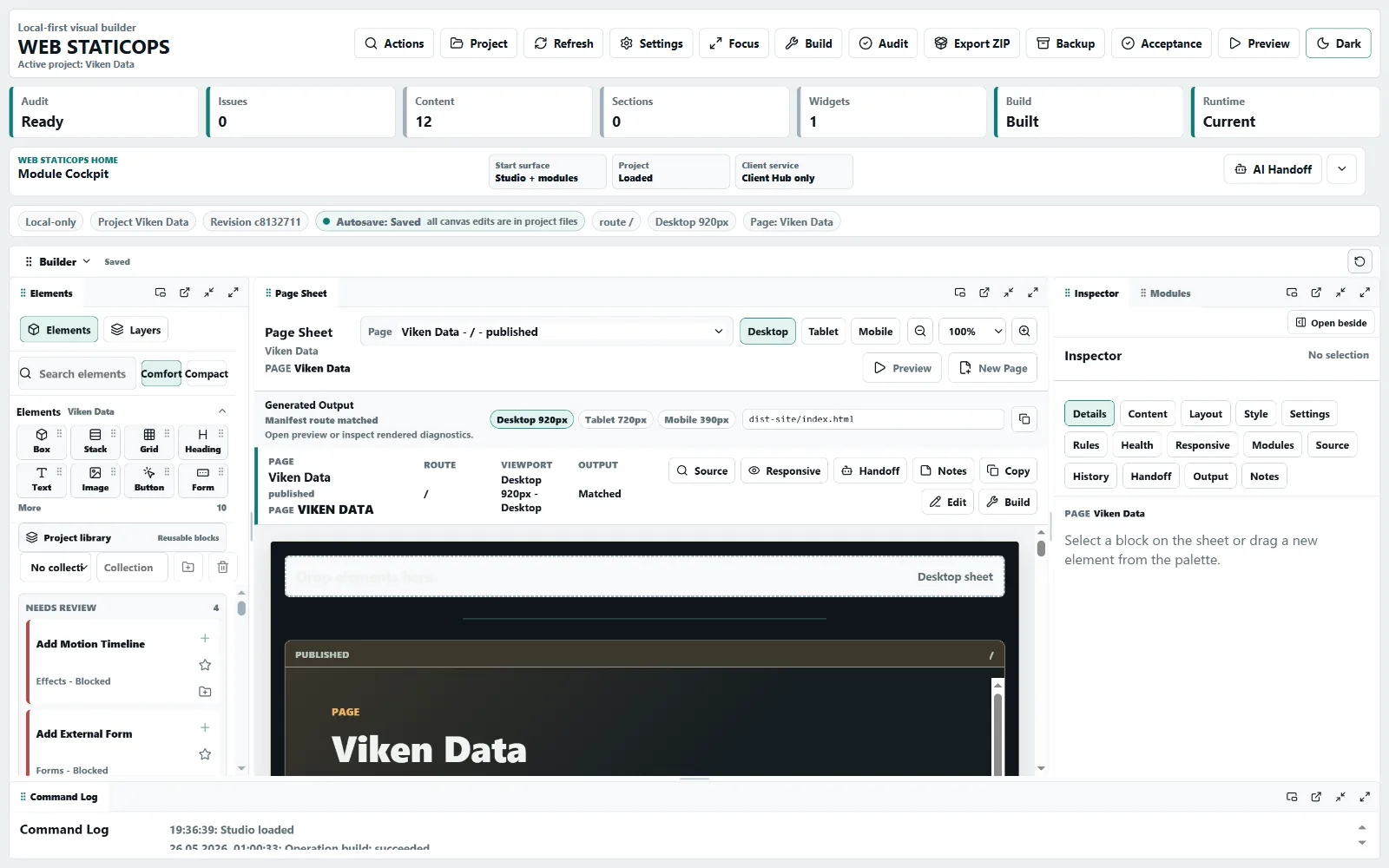
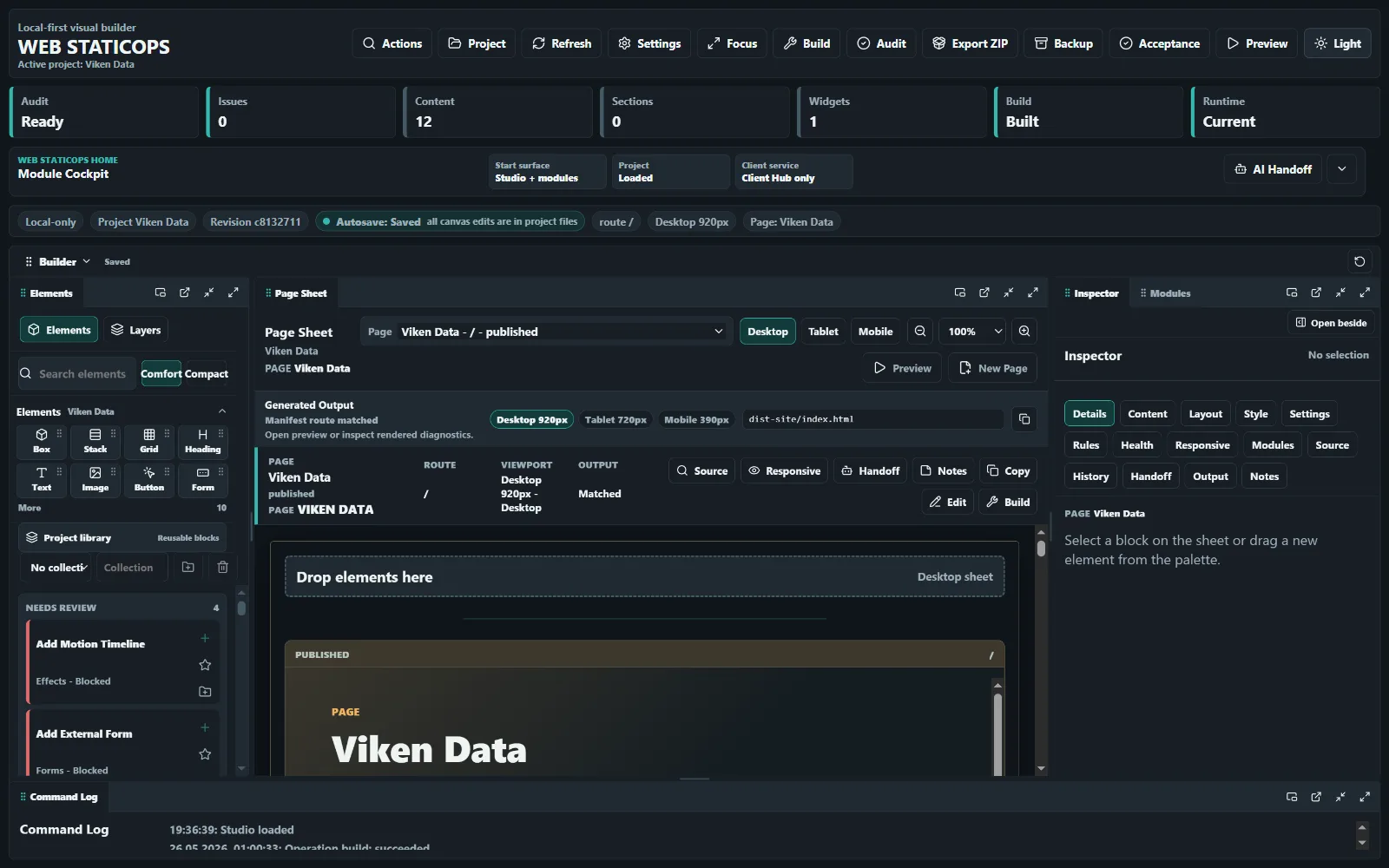
Studio cockpitArrange Canvas, Inspector, project status and specialist modules around the job at hand.
Inspect Studio overviewWhy it exists
A complete workspace for static-site production.
Static output is wonderfully simple. Keeping the source, media, translations, checks, releases and handoff evidence coherent over time is not. Web StaticOps handles that operational layer without turning the public site into a hosted CMS runtime.
Static websites, built to fit
We price the work, not the page count.
A five-page site with migration, languages and a custom integration can be more demanding than fifty pages built from one sound pattern. Our quote reflects the actual design, content, implementation and assurance work—not a tally of navigation tabs.
One scoped assignment
We agree what has to be designed, migrated, integrated, checked and delivered, then price that scope as a whole.
No per-page penalty
Reusable content pages do not become expensive merely because there are more of them. Complexity and exceptions are what change the work.
Portable delivery
The finished site is static HTML, CSS, JavaScript and assets that can be hosted almost anywhere without a Web StaticOps subscription.
Competitive pricing starts with a useful brief, not an arbitrary package. Tell us what the site must achieve and we will return a clear scope, assumptions and estimate.
Studio snapshot · 29 July 2026
A modular workspace for each stage of production.
The dockable Studio presents the work as focused modules. Canvas and Inspector sit beside content, collections, media, localization, quality, release, project control and other specialist workspaces.
Visual where useful
Canvas, palette, inspector, preview sizes and theme switching shorten the feedback loop for page work.
Source remains real
The editor works with project files and schemas rather than hiding the website inside an opaque remote database.
Dock what the job needs
Modules can be arranged for writing, visual review, quality work or release preparation instead of forcing one layout on every task.
Inspectable gallery
Web StaticOps Studio · 29 July 2026 snapshot
Open five working Studio views recorded on 29 July 2026. Every thumbnail and full-size preview follows the site's light or dark theme.
Operational depth
Building the page is only one part of shipping it.
The current Studio has 32 module workspaces covering the full route from project setup to evidence-backed release.
Content and collections
Pages, legal content, documentation, structured data and static collections share one project model.
Responsive media
Registry-backed images, variants, dimensions and optimization keep public output fast and traceable.
Localization
Translation memory, terminology and XLIFF review support multilingual static sites without a public localization service.
Quality and release
Site Health, accessibility, SEO, links, performance budgets, acceptance and deploy audits create evidence before publishing.
Build revisions and recovery
Immutable revisions, backups, integrity checks and restore workflows make the generated output reproducible.
CMS theme export
Static projects can produce inspectable theme artifacts when a delivery target needs them, without changing the source model.
AI and agents
Useful assistance, with a review trail.
Web StaticOps can prepare structured work for local AI and coding agents while keeping scope, diffs, validation and handoff evidence visible.
Rules travel with the project
Generated agent guidance states product boundaries, allowed edit areas, safety rules and required checks.
Review before release
Agent output is still source work. It must pass the same build, audit and visual review as any other change.
No hidden runtime dependency
The published site stays static. Private project context and credentials do not become part of public output.
Product boundary
What Web StaticOps deliberately is not.
It is not a public CMS admin panel, application backend, customer database, auth provider, payment processor or excuse to lock a simple website behind a permanent platform fee. Dynamic needs connect to external providers through explicit adapters.
That boundary is a feature: the public site remains portable, cheap to host and easy to inspect.
Common questions
The short version.
Can I buy Web StaticOps?
No. It is a working internal system in active use, and we do not currently plan a standalone commercial release.
Does the public site need Web StaticOps running?
No. The generated site is static and works independently after deployment.
Can a static site still use forms or embeds?
Yes, through mail links, external endpoints and provider embeds. Web StaticOps does not quietly add a private submissions database.
Can Viken Data build my site with it?
Yes. We scope and price the website by the real work involved, then use Web StaticOps where it fits. The delivered public site does not need the system running.
Static-site projects
Contact us about a static website project.
Send the goal, content outline, languages, integrations and any existing site to support@vikendata.com. We will price the actual complexity and explain what the handover includes.